IdleScanDiagrams
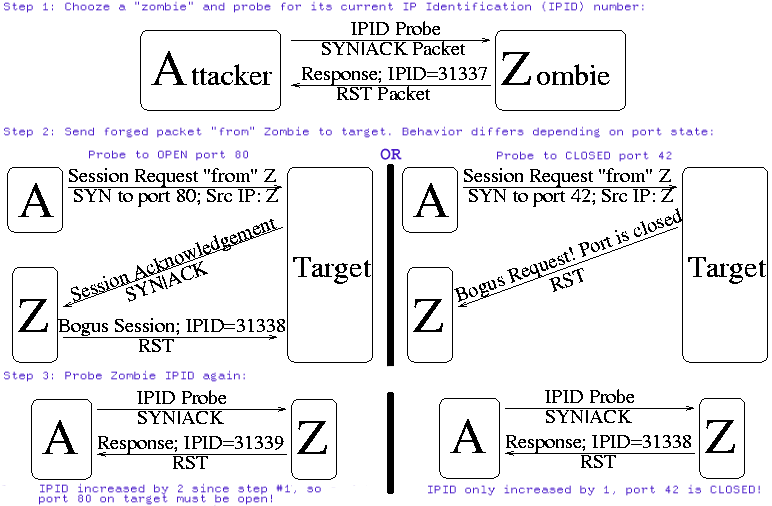
This is the diagram I am trying to replace.
First I tried making a diagram that shows all three steps for each of the three possible port states: open, closed, and filtered. It is meant to be read vertically for each port state. Each arrangement of attacker, zombie, and target is the same, unlike in the original diagram where the attacker and zombie are alternately side by side and one above the other. I used separate icons for each host in the example, hopefully to aid recognition across the diagrams. I borrowed Ereet's monitor as already representing an "attacker" computer. The zombie is a printer because I have found they make good zombies.
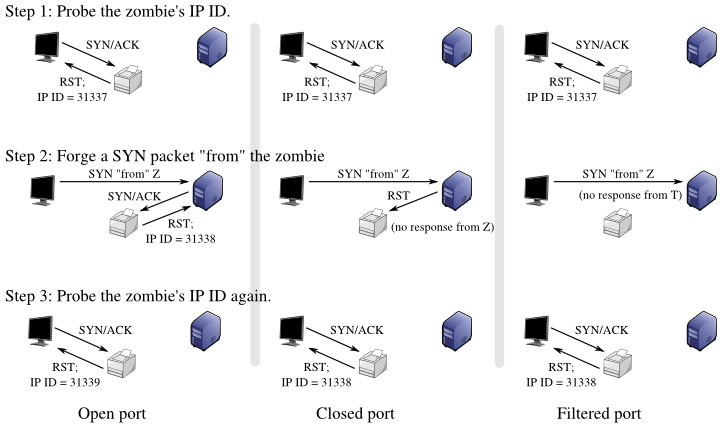
idle-scan-multi.pngI don't like it because it's hard to know that you must read it vertically. Step 1 is the same for every state but it's hard to consolidate it into one diagram because it will look like it "belongs" to one state or another. It's way too busy and cluttered; it's one of those diagrams I would skip over in a textbook. (That's sort of my guide for making these diagrams—is someone going to look at this and understand it on first reading?)
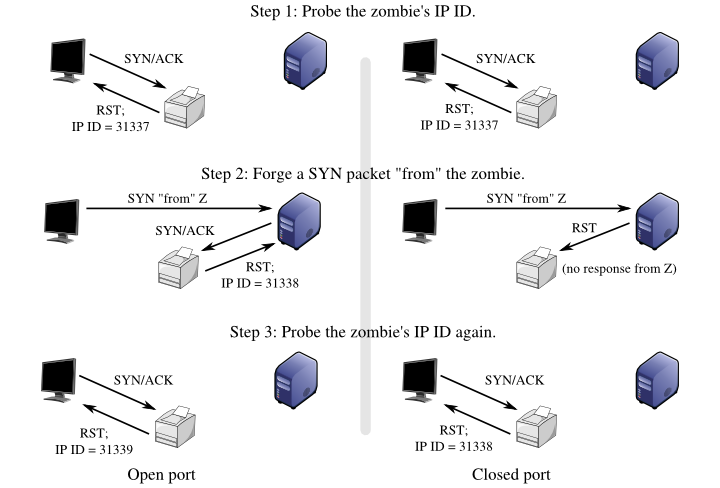
Here's another diagram that shows only the open and closed states (like the original). It's less cluttered and avoids the unfortunate 3×3 effect. It's better but I still don't like it.
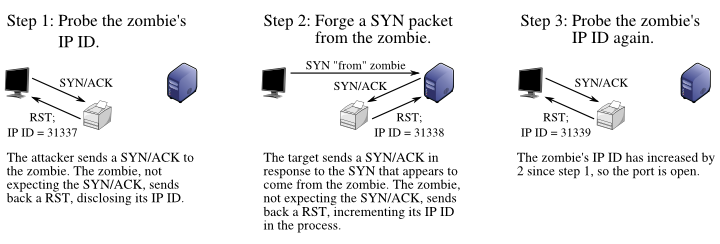
idle-scan-dual.pngHere are my current recommendations. There are separate diagrams, each showing the series of events for one port state. It is easier to read because time flows from left to right. The text also serves to break the sequence visually into chunks, helping to separate the network diagrams.
idle-scan-open-text.png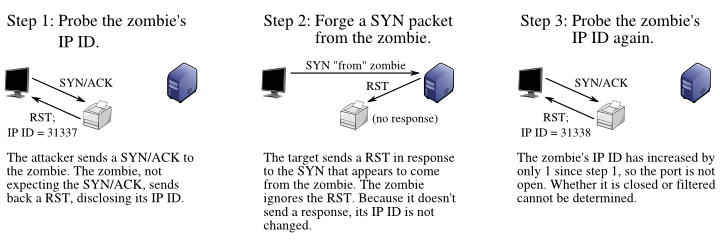
idle-scan-closed-text.png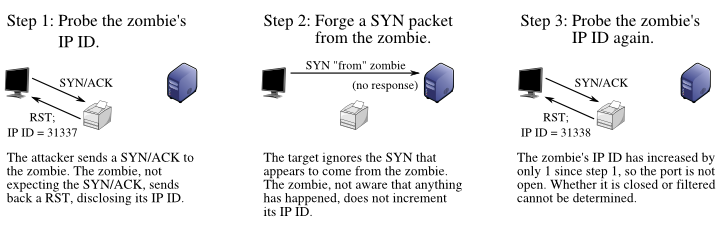
idle-scan-filtered-text.pngIf so much text belongs better in the body than in a diagram, here is a sample without text.
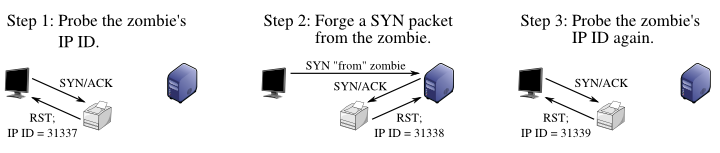
idle-scan-open.pngHere is an example that restores the A, Z, T labels. I think this is unnecessary. It would be better replaced by a small legend preceding the diagrams.
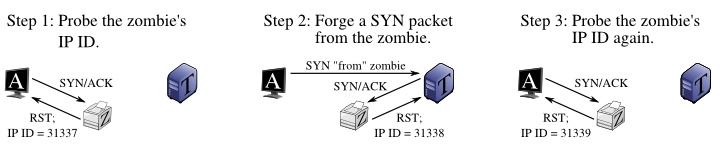
idle-scan-open-labels.png